
Daily visualization for goals and habits
Make your next chapter feel close enough to act on.
A quiet two-minute practice. Picture the goal, habit, or self you're growing into, as if it's already yours. Then let your own voice make it feel true.
Private on your iPhone. The practice runs on Premium; no account needed.
See it in 25 seconds
What is Assume It and how does it work?
Assume It is a private iPhone app for visualization. You write a short scene of a goal or habit as if it already happened, record it in your own voice, and play it back for about two minutes a day. The app is free to download. The app's scene and voice practice requires Premium. Where offered, eligible subscribers may receive a three-day free trial on the monthly or annual plan. The App Store confirms your eligibility, any trial, the local price and billing period before you subscribe. Your scenes stay on your phone. It is for anyone who wants a quiet daily practice for goals, habits, or becoming the kind of person who does the thing.
Not another feed to scroll. Watch one scene, written and spoken in your own voice, become a daily habit.
Then see the three actsAssume It
Write the life you want.
Meet Lumin
Your calm guide.
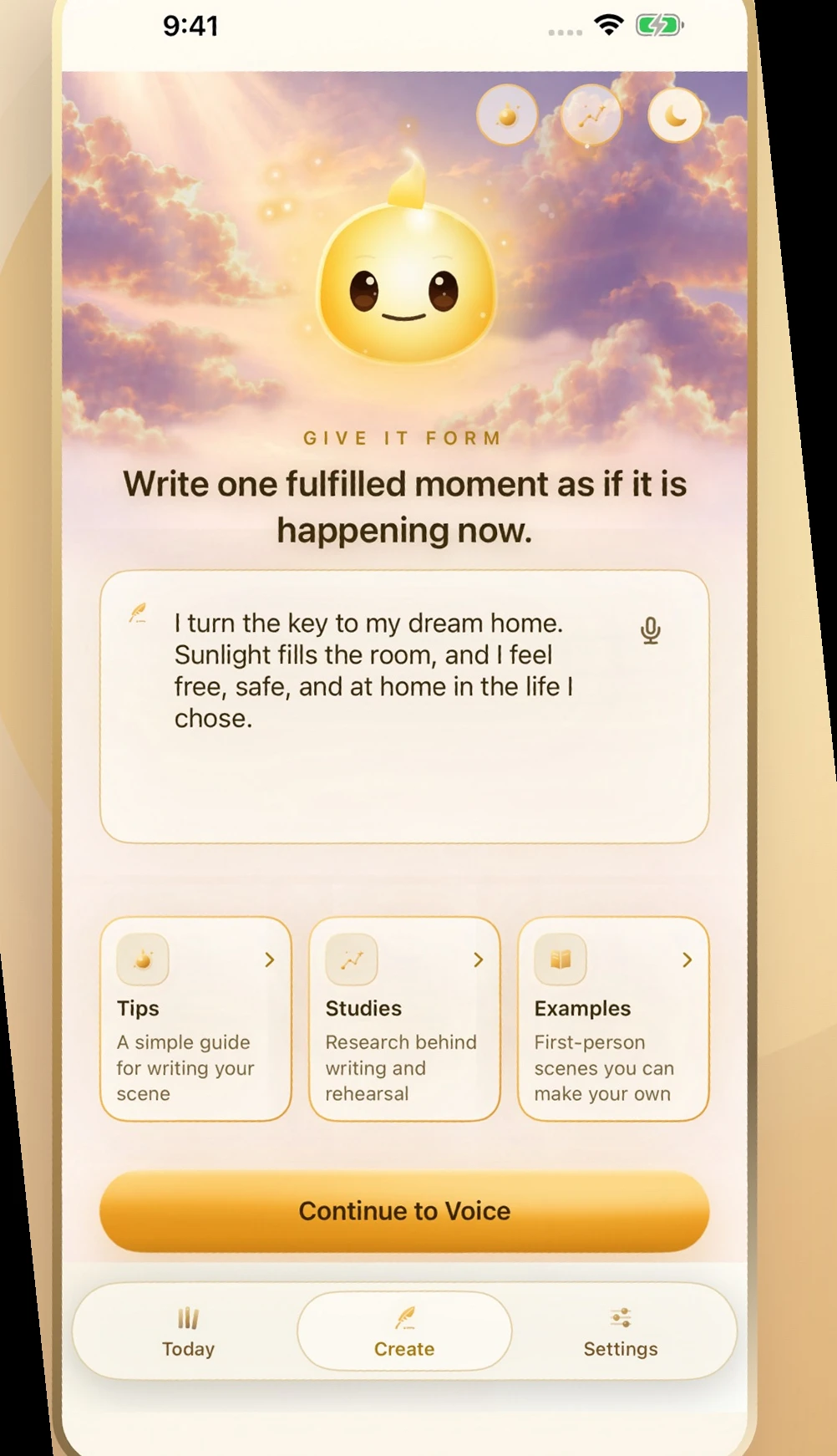
01 · Write it
Present tense. As if it already happened.
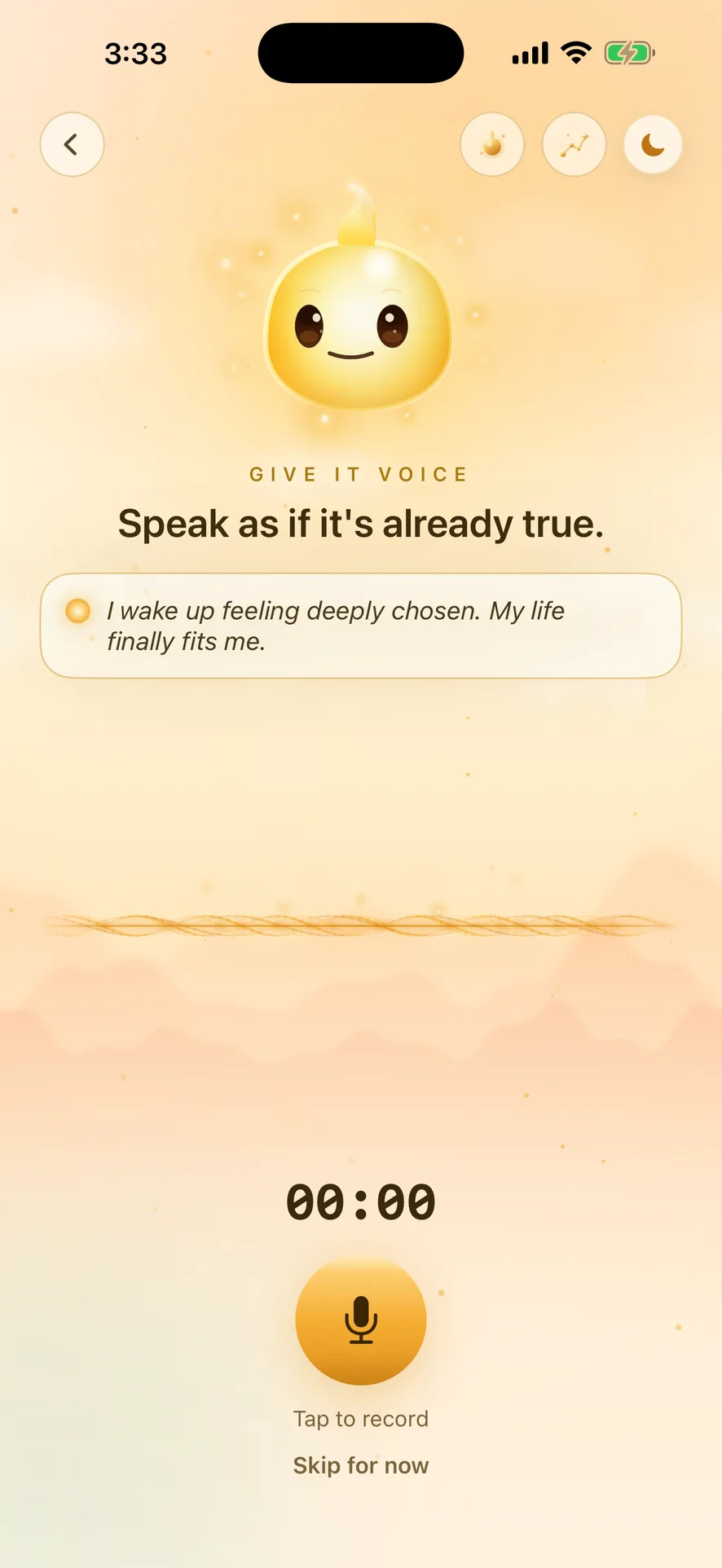
02 · Speak it
In your own voice.
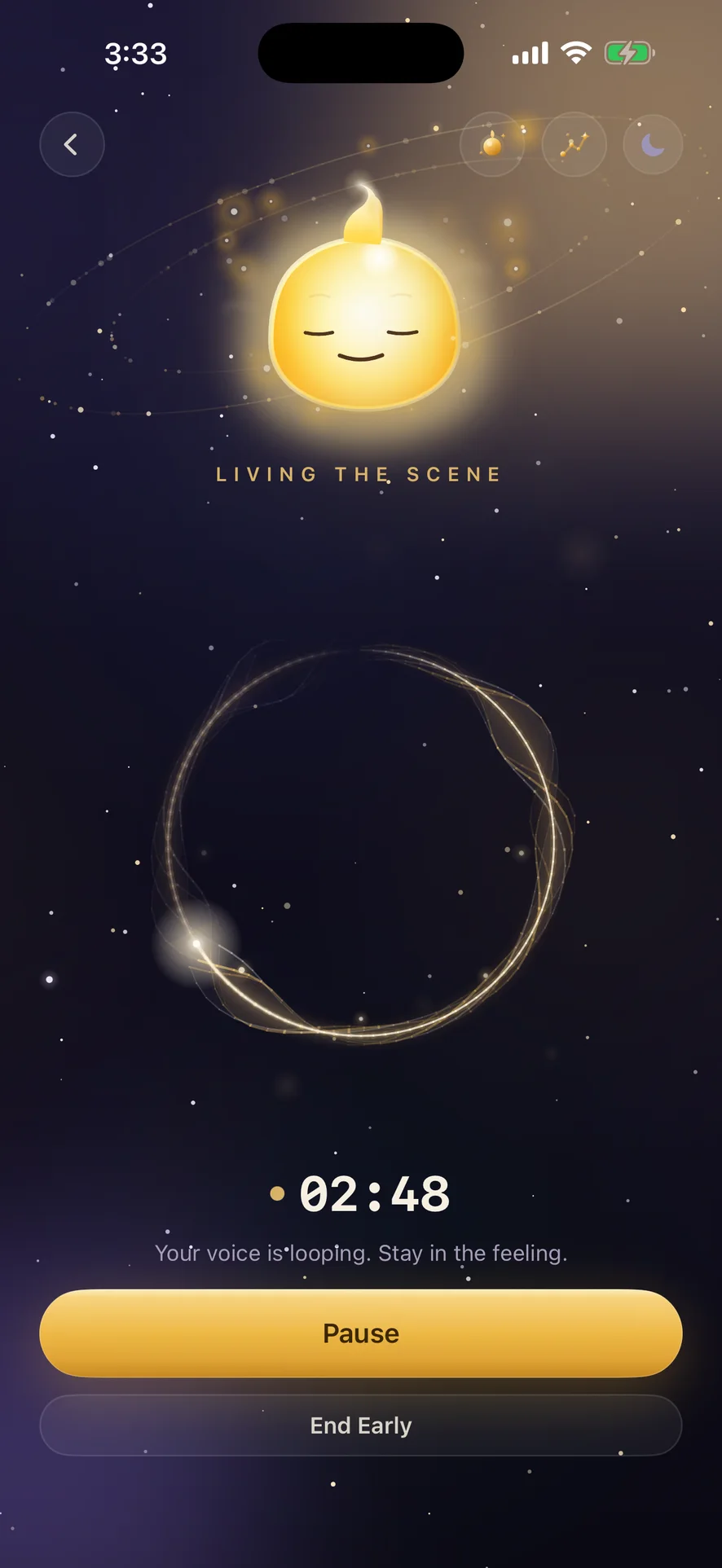
03 · Live it
Two quiet minutes. Eyes closed.
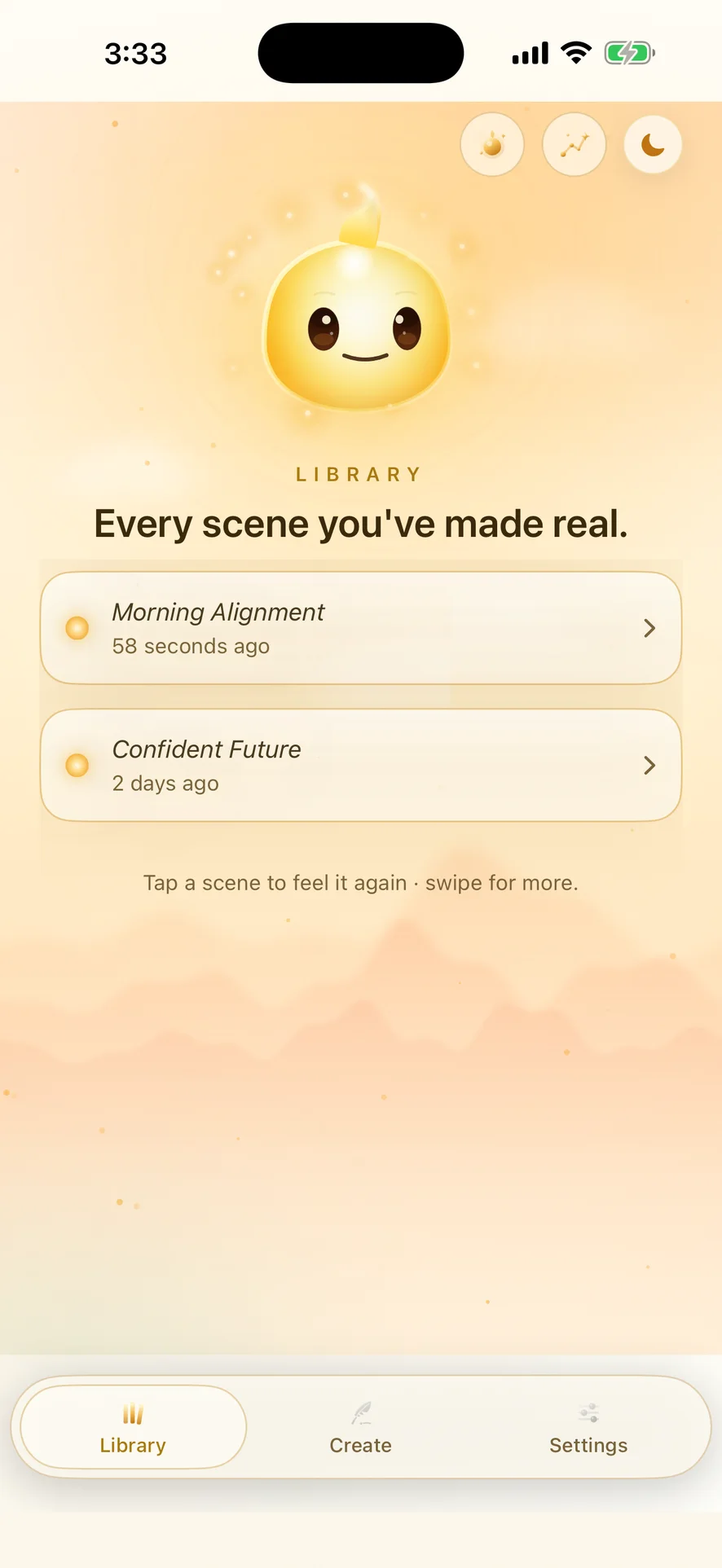
Day or night
Always yours.
Film transcript: Write the life you want. Meet Lumin, your calm guide. Write it: present tense, as if it already happened. Speak it: in your own voice. Live it: two quiet minutes, eyes closed. Day or night, always yours. Assume It is available now on iPhone. Download on the App Store.
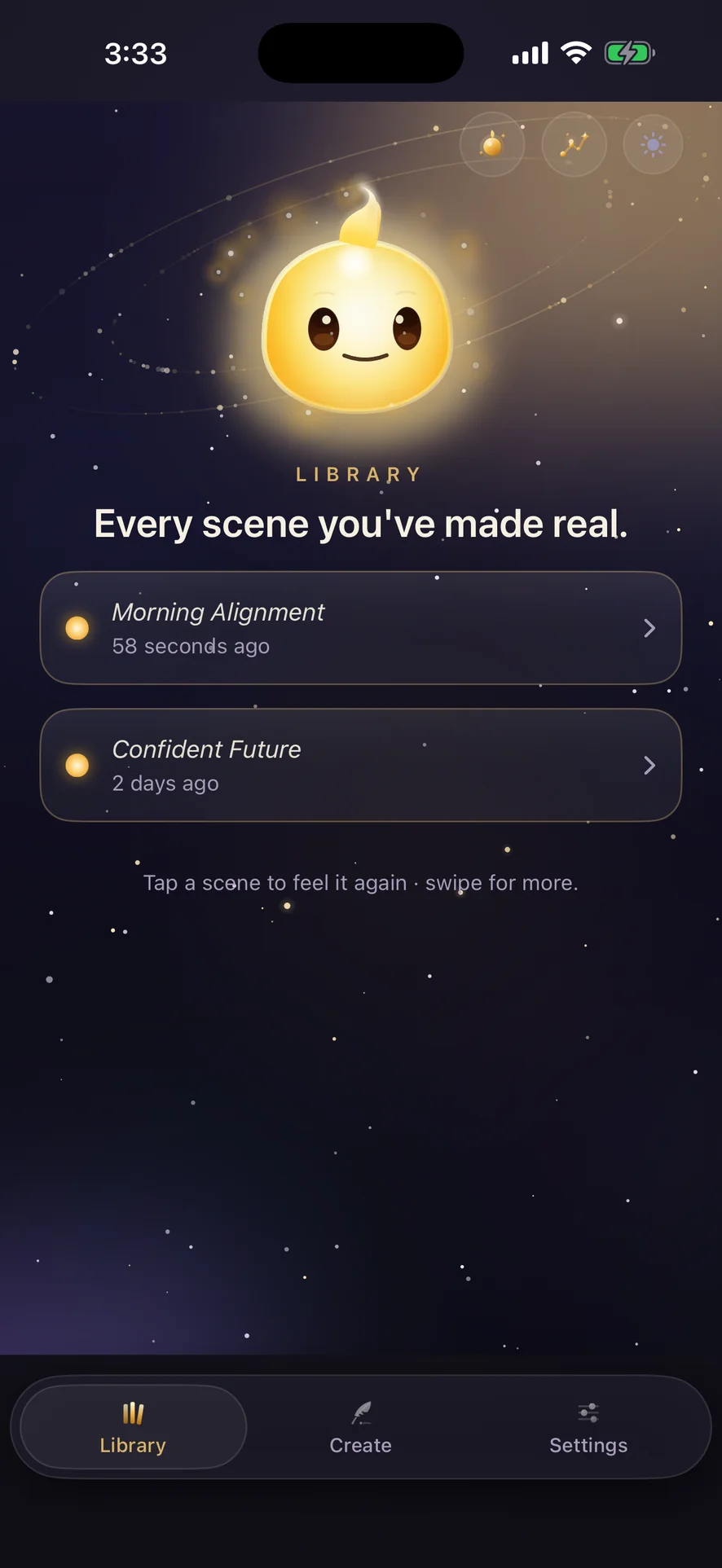
Real app screens. The living Lumin. No invented results.
The habit
Write it. Speak it. Live it.
Three small acts, once a day. That is the whole practice.
01 · Write
Write the scene
Present tense. As if it already happened. One goal, habit, or self you're growing into.
Give it your voice
Record yourself reading it, once. Your mind believes your own voice first.
Live it daily
Two minutes inside the scene, eyes closed. The daily rep that builds a habit.
Who it's for
01 · Habit building
For building a habit that keeps slipping.
Pick one habit, like a morning walk or reading before bed. Write the scene as if it already happened today: where you are, what it feels like to be done. Record it in your own voice and play it back each morning. Two minutes. The point is not motivation. It is rehearsal. Your brain treats the repeated scene like practice, so the real thing feels familiar instead of new. Read the guide: visualization in your own voice.
02 · Pre-performance calm
For the hour before something that matters.
A job interview, a big presentation, a hard conversation. Write the moment going well, in first person, present tense. Record it and listen once, eyes closed, before you walk in. You are not tricking yourself. You are giving your nerves a version of the event where you already handled it, so they have something calmer to expect. Read the guide: the daily visualization routine.
03 · Identity goals
For becoming the kind of person who does the thing.
Not “I want to run” but “I am a runner.” Write a small, specific scene from that life: lacing up at 6am, the cold air, the easy first mile. Record it in your voice. Hearing yourself describe it as already true is what makes the identity stick. Small scenes, repeated, beat big resolutions more often than not. Read the guide: identity-based habits.
Daily Line widget
Let one sentence return you.
During onboarding, Assume It shows you how to add the Daily Line widget on iPhone. Premium unlocks its full randomized collection of 365 Daily Lines and optional short excerpts from scenes you explicitly choose. Your scene and voice remain the practice. The line simply brings you back.
Let being replace waiting.
The old story is momentum, not authority.
The life you assume begins in the meaning you give this moment.
Add it to your day
iPhone: touch and hold the Home Screen, tap Edit, tap Add Widget, search for Assume It, and choose a size. Use Lock Screen Customize for a Lock Screen widget.
Android: Assume It for Android is coming soon.
Personal, not invasive
Made for the thoughts you do not post.
01 · Privacy
Your scenes stay yours.
Scenes and recordings stay in app-private storage on your device; Artifex Innovations does not collect or listen to them. The core practice does not require an account.
02 · Research
Sources you can inspect.
Study and example references inside the app link to their cited sources, so you can read the evidence instead of taking a promise on faith.
Available now
Assume It is live on the App Store.
Assume It is available now on the App Store for iPhone. Requires iOS 17 or later. Android is coming soon.
See your current price and terms in the app before confirming. Cancel at least 24 hours before the trial or current subscription period ends to avoid renewal.
Android coming soon.
On your computer? Point your iPhone camera at the code, it opens Assume It on the App Store.
The essentials
What you should know.
What is Assume It?+
Assume It is a private iPhone app that turns a goal, habit, or future identity into a short scene you can picture, record in your own voice, and revisit each day.
How does the practice work?+
Write one scene in the present tense, as if it already happened. Record yourself reading it, once. Then live it daily: two quiet minutes inside the scene, eyes closed. Three small acts, once a day.
How is this different from an affirmation app?+
Affirmation apps often lead with a feed of other people's words. Assume It is built around one scene that matters to you, written and heard in your own voice. Its built-in Daily Lines are quiet cues back to that practice, not a replacement for it.
Are my writing and recordings private?+
Your scenes and recordings are stored on your device, not our servers. We do not collect or listen to them. An iCloud device backup may include local app content according to your Apple settings.
What does Assume It cost?+
Assume It is free to download. The app's scene and voice practice requires Premium, which includes the full Daily Line widget collection. Where offered, eligible subscribers may receive a three-day free trial on the monthly or annual plan. The app and Apple checkout show the current localized price, billing period, and trial terms before you confirm. For an Apple purchase you choose, payment is charged to your Apple Account at confirmation unless an eligible free trial applies. Subscriptions renew automatically unless you cancel before the next renewal. Cancel at least 24 hours before the trial or current subscription period ends to avoid renewal. Manage or cancel an Apple subscription in your Apple Account subscription settings. Request a refund from Apple; Apple determines eligibility and the outcome.
How do I add the Daily Line widget?+
During onboarding, Assume It shows you how to add the Daily Line widget. Premium unlocks its full randomized 365-line collection and optional short excerpts from scenes you explicitly choose. On iPhone, touch and hold the Home Screen, tap Edit, tap Add Widget, search for Assume It, and choose a size; use Lock Screen Customize for a Lock Screen widget.
Is Assume It on Android?+
Not yet. Assume It is live on iPhone. Android is coming soon.